介绍
Dagu 是一个强大的 Cron 替代品,带有 Web UI。它允许您以声明性 YAML 格式将命令之间的依赖关系定义为有向无环图 (DAG)。Dagu 简化了复杂工作流程的管理和执行。它本身支持运行 Docker 容器、发出 HTTP 请求和通过 SSH 执行命令。
Github:https://github.com/dagu-dev/dagu
文档:https://dagu.readthedocs.io
特征
- Web 用户界面
- 命令行界面 (CLI),其中包含用于运行和管理 DAG 的多个命令
- 用于定义 DAG 的 YAML 格式,支持各种功能,包括:
- 执行自定义代码片段
- 参数
- 命令替换
- 条件逻辑
- stdout 和 stderr 的重定向
- 生命周期钩子
- 重复任务
- 自动重试
- 用于运行不同类型任务的执行器:
- 运行任意 Docker 容器
- 发出 HTTP 请求
- 发送电子邮件
- 运行 jq 命令
- 通过 SSH 执行远程命令
- 电子邮件通知
- 使用 Cron 表达式调度
- REST API 接口
- 基于 HTTPS 的基本身份验证
使用案例
- **数据管道自动化:**计划用于数据处理和集中化的 ETL 任务。
- **基础设施监控:**使用 HTTP 请求或 SSH 命令定期检查基础架构组件。
- **自动报告:**通过电子邮件生成和发送定期报告。
- **批处理:**为数据清理或模型训练等任务安排批处理作业。
- **任务依赖管理:**通过相互依赖的任务管理复杂的工作流。
- **微服务编排:**定义和管理微服务之间的依赖关系。
- **CI/CD 集成:**自动执行代码部署、测试和环境更新。
- **警报系统:**根据特定触发器或条件创建通知。
- **自定义任务自动化:**使用代码片段定义和计划自定义任务。
Web 用户界面
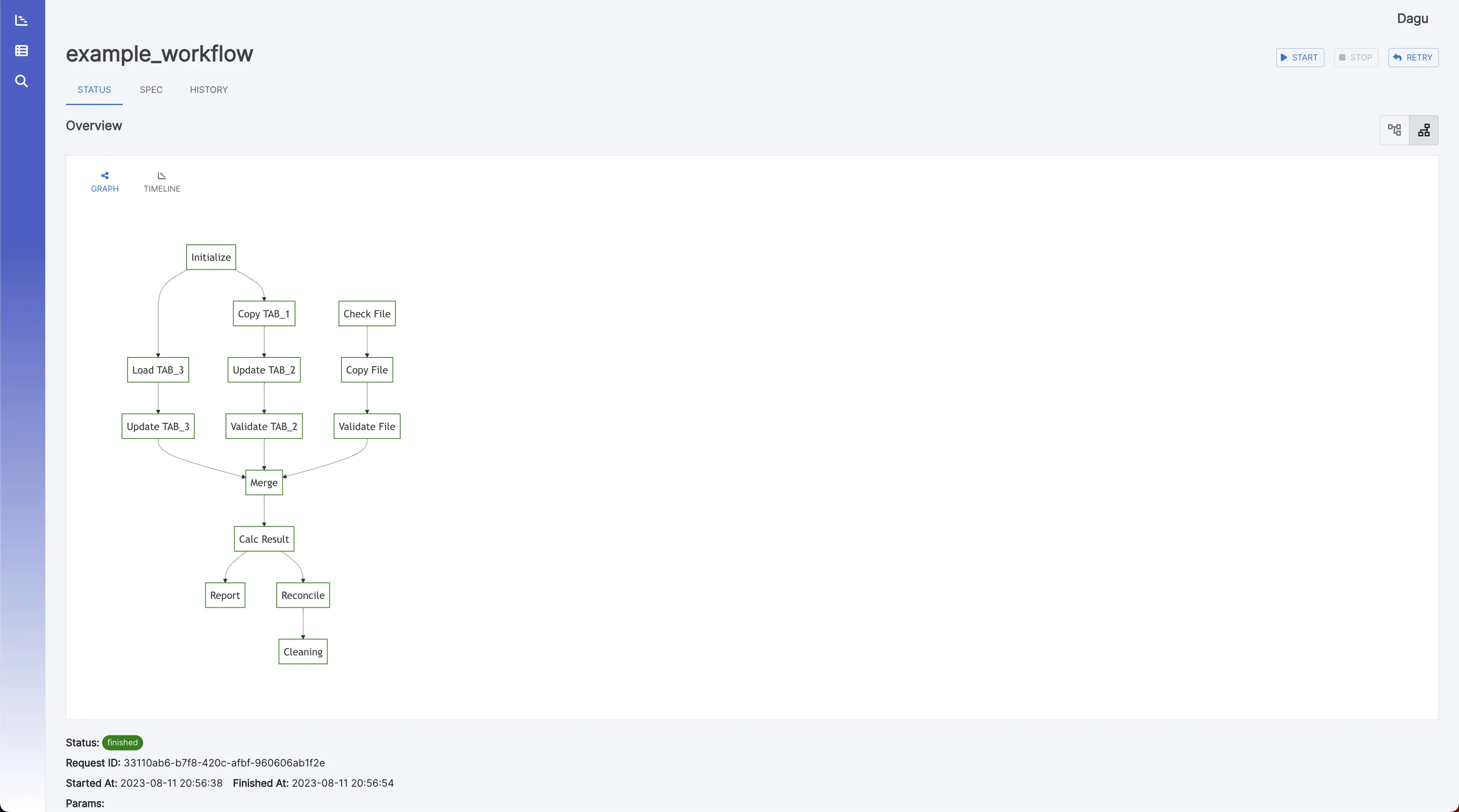
工作流详细信息
它显示实时状态、日志和工作流配置。您可以在浏览器上编辑工作流配置。

您可以使用右上角的按钮切换到垂直图形。
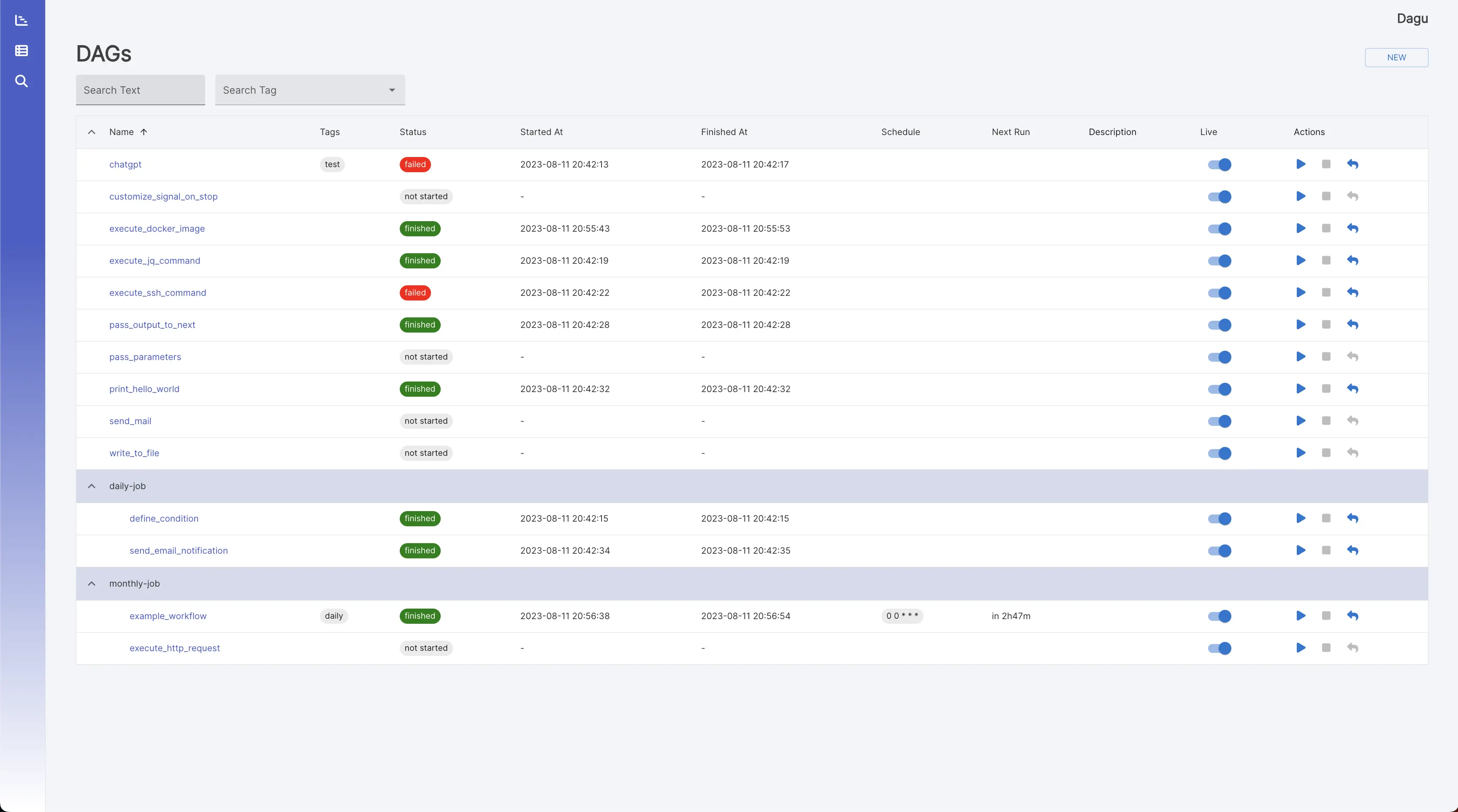
工作流
它显示所有工作流和实时状态。
搜索
它在所有工作流定义中对给定文本进行 grep。[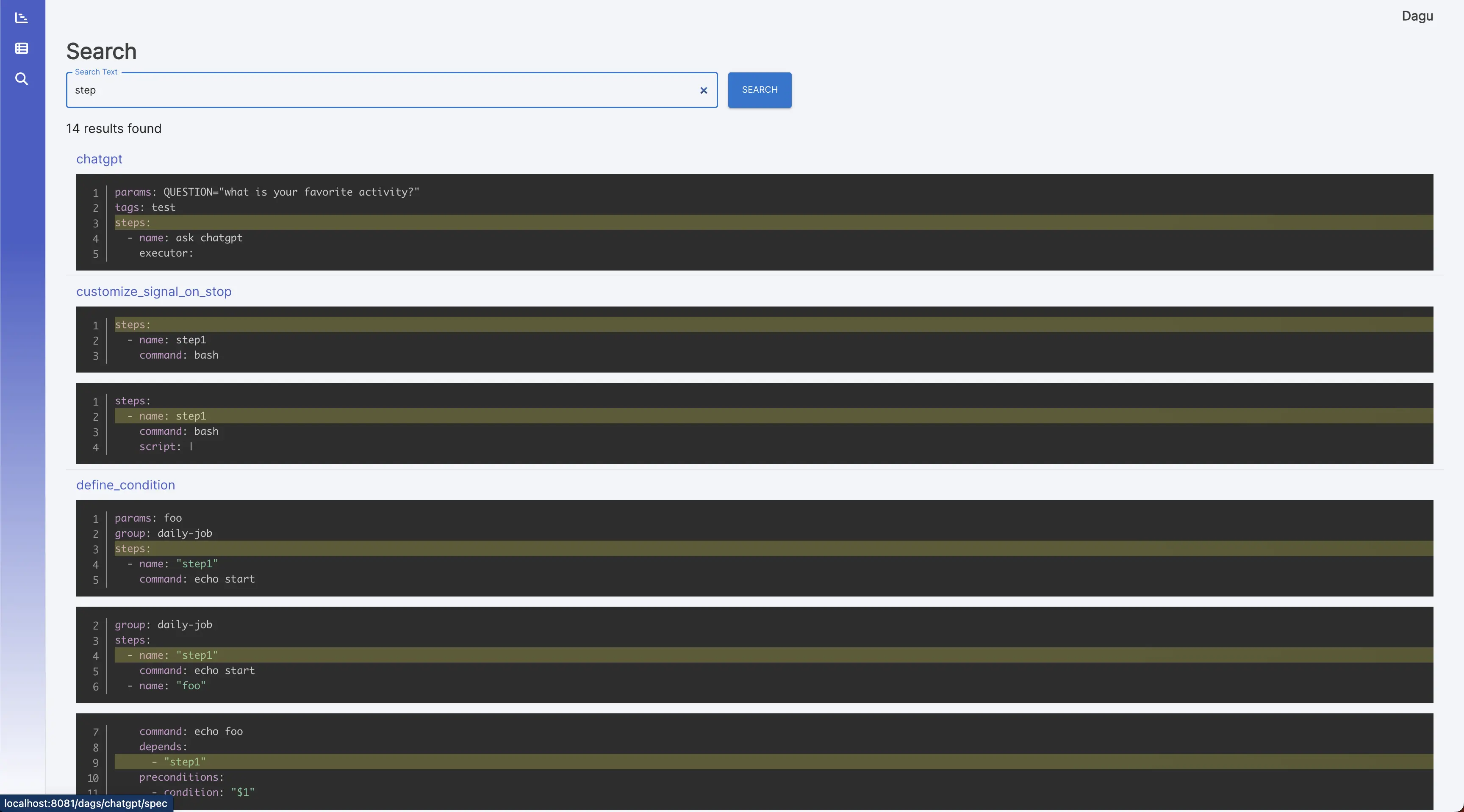
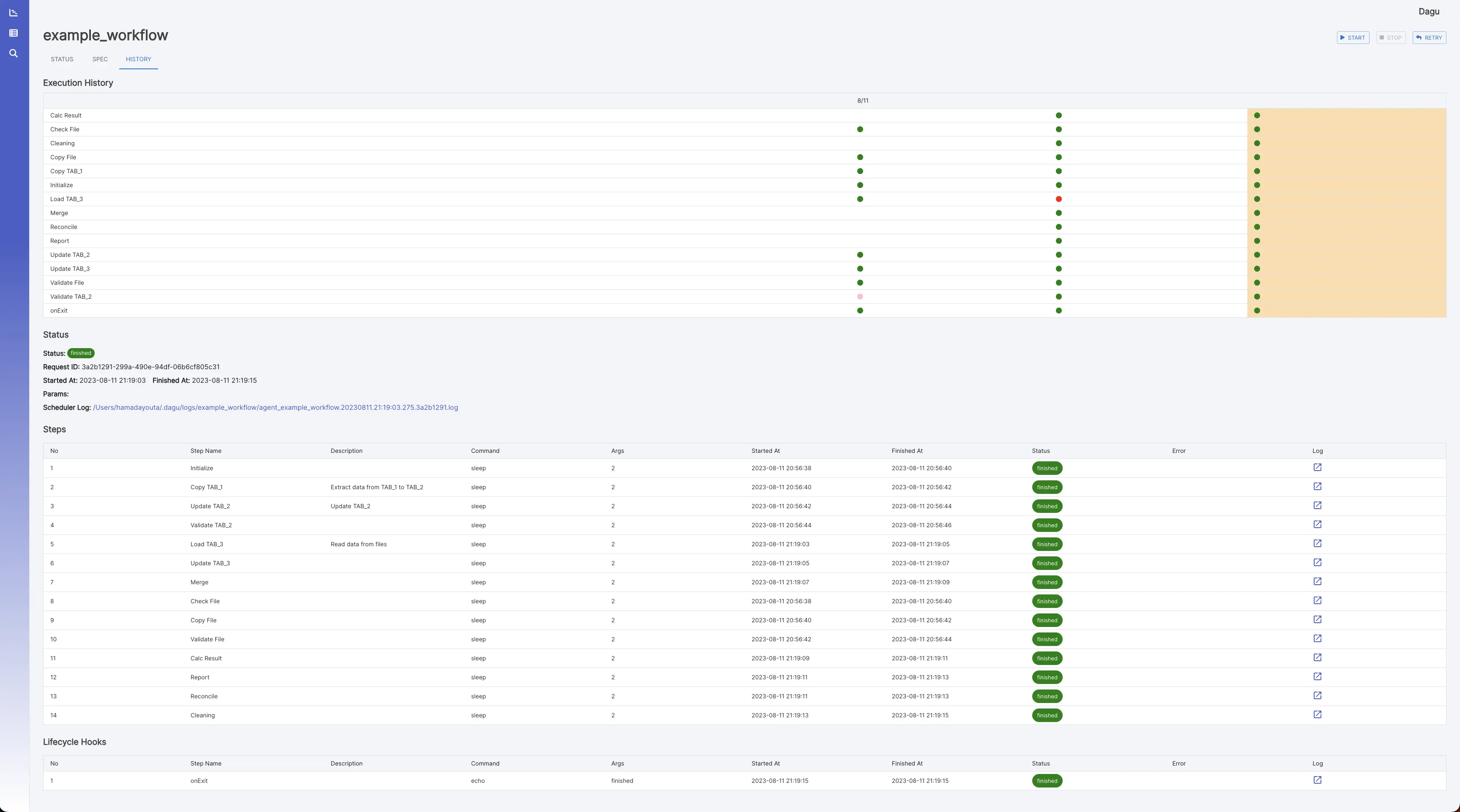
执行历史
它显示过去的执行结果和日志。
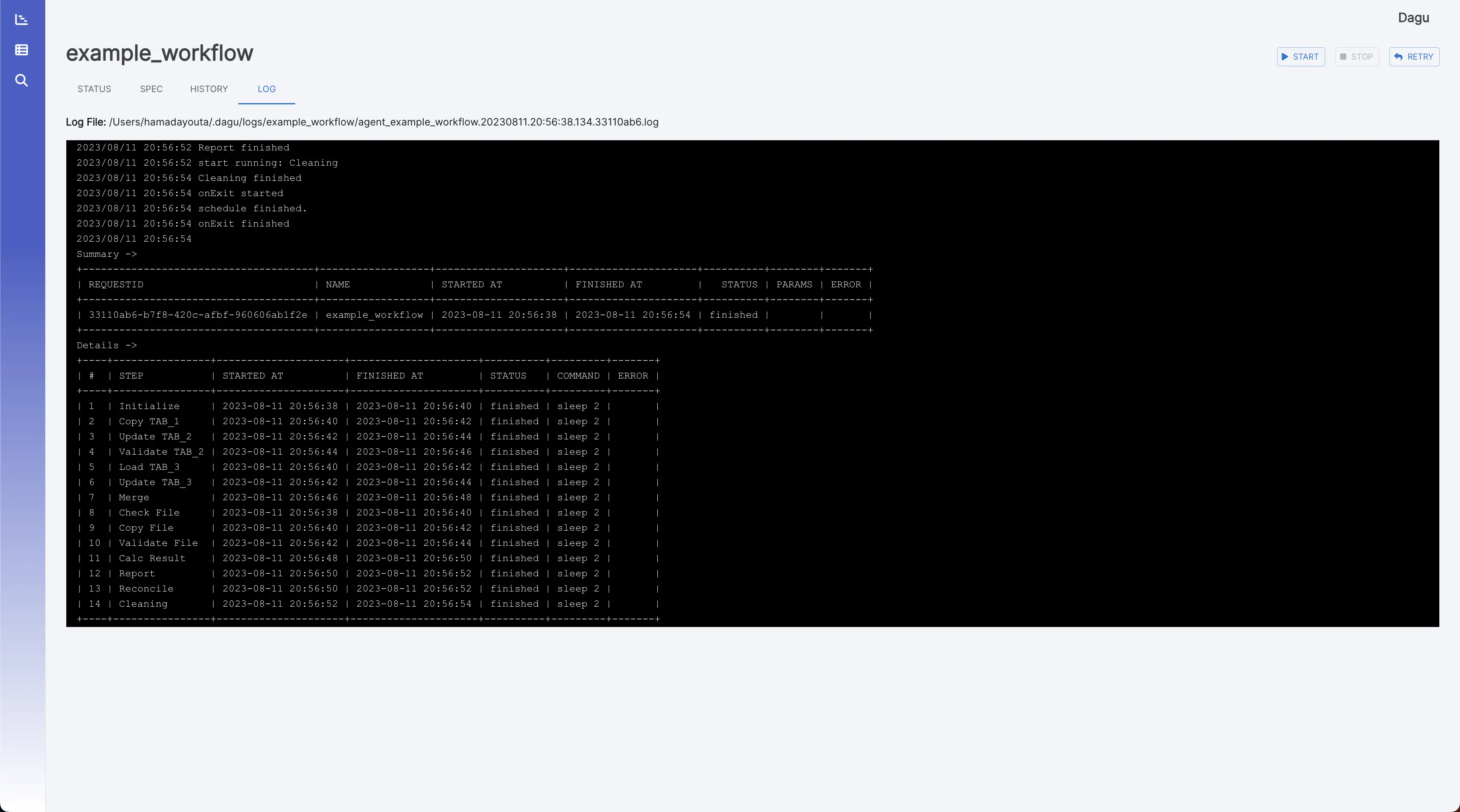
日志查看器
它显示每个执行和步骤的详细日志和标准输出。
安装
您可以使用 Homebrew 或从 GitHub 上的 Releases 页面下载最新的二进制文件来快速安装 Dagu。
通过 Bash 脚本
curl -L https://raw.githubusercontent.com/yohamta/dagu/main/scripts/downloader.sh | bash
通过 GitHub 发布页面
从 Releases 页面下载最新的二进制文件,并将其放在 your (例如 )。$PATH``/usr/local/bin
通过自制软件 (macOS)
brew install yohamta/tap/dagu
升级到最新版本:
brew upgrade yohamta/tap/dagu
通过 Docker
docker run \
--rm \
-p 8080:8080 \
-v $HOME/.dagu/dags:/home/dagu/.dagu/dags \
-v $HOME/.dagu/data:/home/dagu/.dagu/data \
-v $HOME/.dagu/logs:/home/dagu/.dagu/logs \
ghcr.io/dagu-dev/dagu:latest dagu start-all
快速入门指南
1. 启动 Web UI
使用命令启动服务器和调度程序,然后浏览以浏览 Web UI。dagu start-all``http://127.0.0.1:8080
2. 创建新工作流
通过单击 Web UI 左侧面板中的菜单导航到 DAG 列表页面。然后,通过单击页面顶部的按钮创建 DAG。在对话框中输入。NEW``example
注意:DAG(YAML)文件默认放置在 ~/.dagu/dags 中。有关详细信息,请参阅配置选项。
3. 编辑工作流
转到选项卡并点击按钮。复制并粘贴以下示例,然后单击按钮。SPEC``Edit``Save
例:
schedule: "* * * * *" # Run the DAG every minute
steps:
  - name: s1
    command: echo Hello Dagu
  - name: s2
    command: echo done!
    depends:
      - s1
4. 执行工作流
您可以通过按下按钮来执行该示例。您可以在 Web UI 的日志页面中看到“Hello Dagu”。Start
命令行界面
# Runs the DAG
dagu start [--params=<params>] <file>

Displays the current status of the DAG
dagu status <file>
Re-runs the specified DAG run
dagu retry --req=<request-id> <file>
Stops the DAG execution
dagu stop <file>
Restarts the current running DAG
dagu restart <file>
Dry-runs the DAG
dagu dry [--params=<params>] <file>
Launches both the web UI server and scheduler process
dagu start-all [--host=<host>] [--port=<port>] [--dags=<path to directory>]
Launches the Dagu web UI server
dagu server [--host=<host>] [--port=<port>] [--dags=<path to directory>]
Starts the scheduler process
dagu scheduler [--dags=<path to directory>]
Shows the current binary version
dagu version
作为守护程序运行
确保该进程始终在系统上运行的最简单方法是创建下面的脚本并使用 cron 每分钟执行一次(您不需要以这种方式进行帐户):root
#!/bin/bash
process="dagu start-all"
command="/usr/bin/dagu start-all"

if ps ax | grep -v grep | grep "$process" > /dev/null
then
    exit
else
    $command &
fi
exit
示例工作流
此示例工作流展示了通常在 DevOps 和数据工程方案中实现的数据管道。它演示了一个端到端的数据处理周期,从数据采集和清理到转换、加载、分析、报告,以及最终的清理。
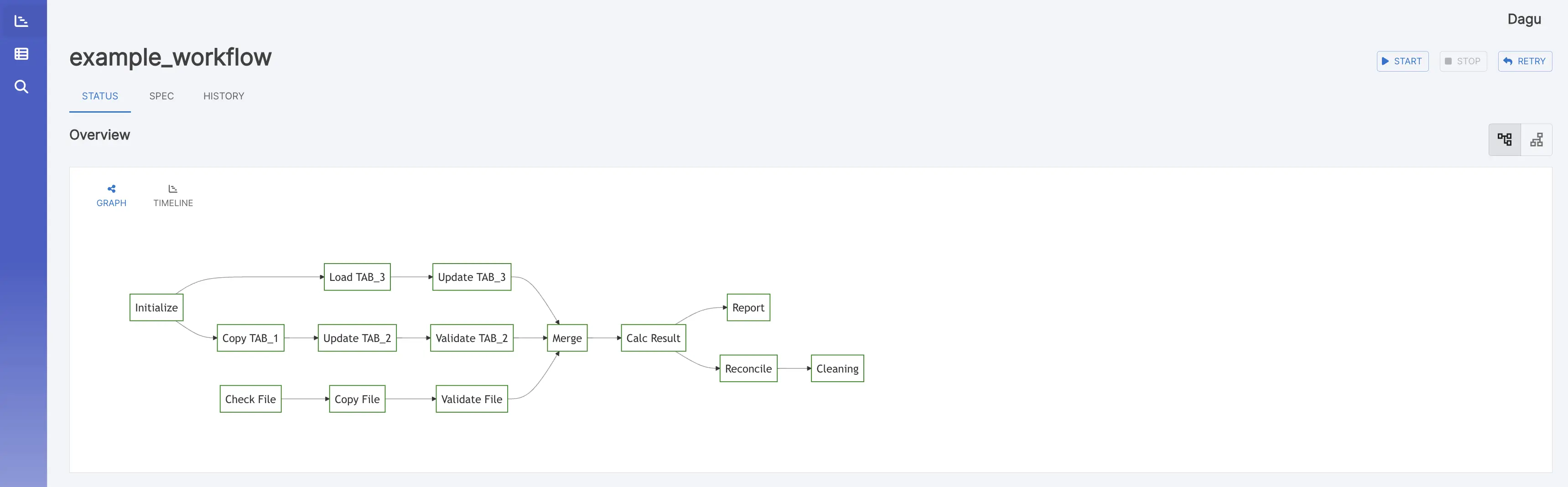
下面的 YAML 代码表示此工作流:
# Environment variables used throughout the pipeline
env:
- DATA_DIR: /data
- SCRIPT_DIR: /scripts
- LOG_DIR: /log
# ... other variables can be added here
Handlers to manage errors and cleanup after execution
handlerOn:
failure:
command: "echo error"
exit:
command: "echo clean up"
The schedule for the workflow execution in cron format
This schedule runs the workflow daily at 12:00 AM
schedule: "0 0 * * *"
steps:
Step 1: Pull the latest data from a data source
- name: pull_data
command: "sh"
script: |
echo date '+%Y-%m-%d'
output: DATE
Step 2: Cleanse and prepare the data
- name: cleanse_data
command: echo cleansing ${DATA_DIR}/${DATE}.csv
depends:
- pull_data
Step 3: Transform the data
- name: transform_data
command: echo transforming ${DATA_DIR}/${DATE}_clean.csv
depends:
- cleanse_data
Parallel Step 1: Load the data into a database
- name: load_data
command: echo loading ${DATA_DIR}/${DATE}_transformed.csv
depends:
- transform_data
Parallel Step 2: Generate a statistical report
- name: generate_report
command: echo generating report ${DATA_DIR}/${DATE}_transformed.csv
depends:
- transform_data
Step 4: Run some analytics
- name: run_analytics
command: echo running analytics ${DATA_DIR}/${DATE}_transformed.csv
depends:
- load_data
Step 5: Send an email report
- name: send_report
command: echo sending email ${DATA_DIR}/${DATE}_analytics.csv
depends:
- run_analytics
- generate_report
Step 6: Cleanup temporary files
- name: cleanup
command: echo removing ${DATE}*.csv
depends:
- send_report